

What Are the Minimum System Requirements to Play Valorant?
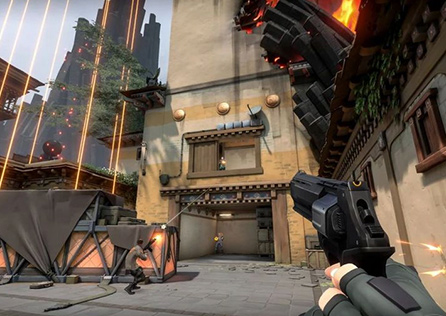
Valorant is a highly popular first-person shooter game developed by Riot Games. Since its launch, it has taken the gaming world by storm, drawing in millions of players worldwide. One of the standout features of Riot Games' titles is their low system requirement, making them accessible to a wide range of players. So, what exactly are the minimum system requirements to play Valorant, and can your current setup handle it?
Valorant Minimum System Requirements
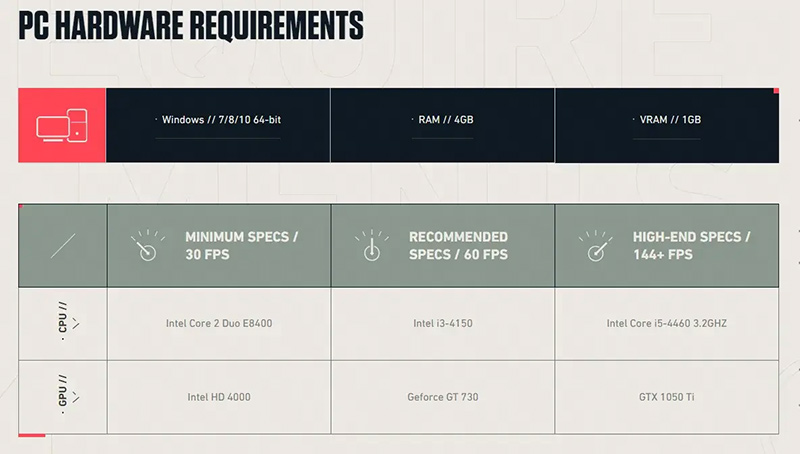
Let's first take a look at the official minimum system requirements for Valorant:
- CPU: Intel Core 2 Duo E8400 / AMD Athlon 200GE
- RAM: 4 GB
- VIDEO CARD: Intel HD 4000 / Radeon R5 200
- PIXEL SHADER: 3.0
- VERTEX SHADER: 3.0
- OS: Windows 7/8/10 64-bit
Can this configuration run Valorant? Absolutely, but this setup ensures the game runs smoothly only under ideal conditions and at the lowest graphics settings. Due to individual variations in hardware, such as older components, running multiple programs, or limited hard drive space, you might experience some lag even if you meet these requirements.
How to Upgrade Your System
To improve your Valorant experience, consider upgrading the following hardware components beyond the minimum system requirements:
RAM: Upgrading your memory can significantly enhance performance. More RAM allows your computer to handle more tasks simultaneously, reducing lag and improving overall gameplay experience.
Hard Drive/SSD: Upgrading to a Solid State Drive (SSD) can dramatically improve load times and overall system responsiveness. This will make downloading and running Valorant much faster and smoother.
Graphics Card: Investing in a better graphics card can make a substantial difference in game performance. A more powerful GPU will allow you to play Valorant at higher settings without compromising on frame rates.
How to Further Enhance Your Valorant Experience
After addressing hardware upgrades, solving network issues is the next best step to enhance your Valorant gaming experience. Despite Riot Games' robust network infrastructure, it isn't flawless. High ping, latency, and packet loss are inevitable in a dynamic network environment. Using a game VPN such as GearUP Booster is the simplest way to resolve these issues. Unlike traditional methods of manually tweaking network settings, which can be error-prone and complicated, a game VPN offers a straightforward and effective solution. GearUP Booster supports many games and provides unexpected improvements in your gameplay experience.
Conclusion
Upgrading your system and optimizing your network can significantly improve your Valorant experience. While the minimum system requirements provide a guideline, going beyond them ensures smoother gameplay. Using a game VPN like GearUP Booster can further enhance your performance, making your matches more enjoyable and less frustrating. Happy gaming!

 English
 Arabic
 French
 Spanish
 Portuguese
 Turkish
 Dutch
Dutch
 Italiano
 Russian
 Romaian
 Portuguese (Brazil)
 Greek
Greek